
Pinwheel vs iPhone vs Dumb Phones: Best UK Kids Phone 2026

By Jitendra Sharma, Kite Inclusive
Published: 19 Apr 2026 | Updated: 28 Apr 2026 · 12 min read
Last updated: April 2026. Verify pricing directly with each provider before purchasing.
Looking for the best iPhone for kids or wondering if Pinwheel phone works in the UK? If you decided your child needs a smartphone—not a watch, not a dumb phone, not a desk phone—then you have two realistic options. You can buy a managed phone for kids with child-safe software pre-installed, or you can lock down a phone you already own.
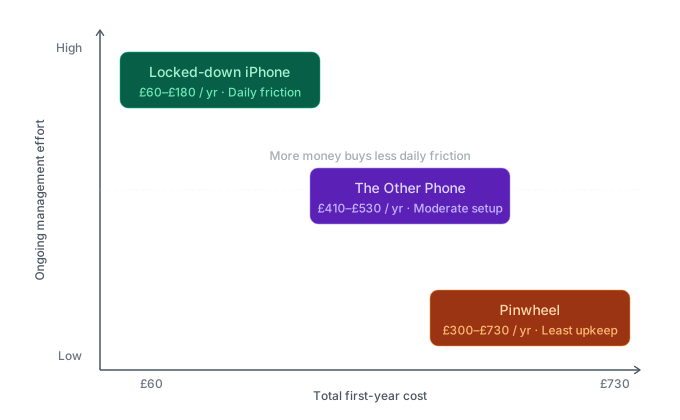
Each approach makes a different trade-off between cost, control, and the daily effort required to keep it working. The table below gives a breakdown of the features for 3 smartphone options available in the UK. The rest of the page explains what using those features feels like in practice.
Managed Smartphone Comparison: Pinwheel vs The Other Phone vs iPhone
| Feature | Pinwheel | The Other Phone | Locked-down iPhone (DIY) |
|---|---|---|---|
| Hardware | Samsung Plus 5 or Google Pixel 9A | Nothing Phone (3a) Lite / CMF 2 Pro | Any iPhone running iOS 16+ |
| Hardware cost | £239–£549 | £279 | £0 (hand-me-down) |
| Monthly subscription | £13.99 (Caregiver Portal) | £5.99 (†SafetyMode Plus) | £0 |
| SIM / network cost | £5–£15/month (any UK carrier) | £5–£15/month (any UK carrier) | £5–£15/month (any UK carrier) |
| Total first-year cost | £299–£729 | £411–£531 | £60–£180 |
| Operating system | Pinwheel OS (Android-based) | Android + SafetyMode software | iOS + Screen Time |
| Social media access | Blocked at OS level | Filtered by SafetyMode | Blocked via Content & Privacy Restrictions |
| Web browser | None by default; Google Play can be enabled later | None by default; can be enabled with filtering | Safari disabled; embedded in-app browsers persist |
| App control | Curated library of 1,200+ rated apps; parent approves each | Parent approves via dashboard; Google Play available with filtering | App Store blocked; parent pre-installs apps manually |
| Content monitoring | Text and call history visible in Caregiver Portal | Filters content across all apps including WhatsApp | No native monitoring; requires third-party software (e.g. Qustodio) |
| Contact whitelisting | Yes, only approved contacts can call or text | Yes, via parental dashboard | Partial, Communication Limits restrict to Contacts Only |
| GPS tracking | Yes, with geofencing alerts | Yes, via parental dashboard | Yes, via Find My |
| Screen time scheduling | Yes, per-app schedules, school mode, bedtime mode | Yes, app pausing by time of day | Yes, Downtime and App Limits |
| Tamper resistance | High, Pinwheel OS cannot be removed without factory reset, which wipes the device | Medium, SafetyMode is a software layer requiring specific Android permissions | Low, relies on a 4-digit Screen Time passcode |
| Works with UK networks | Yes, unlocked, all major carriers | Yes, unlocked, all major carriers | Yes |
| Emergency services (999) | Yes | Yes | Yes |
†On-device SafetyMode features are free. SafetyMode Plus adds remote management from the parent's own device for £5.99/month.
Pinwheel UK Review: Does the Pinwheel Phone Work in Britain?
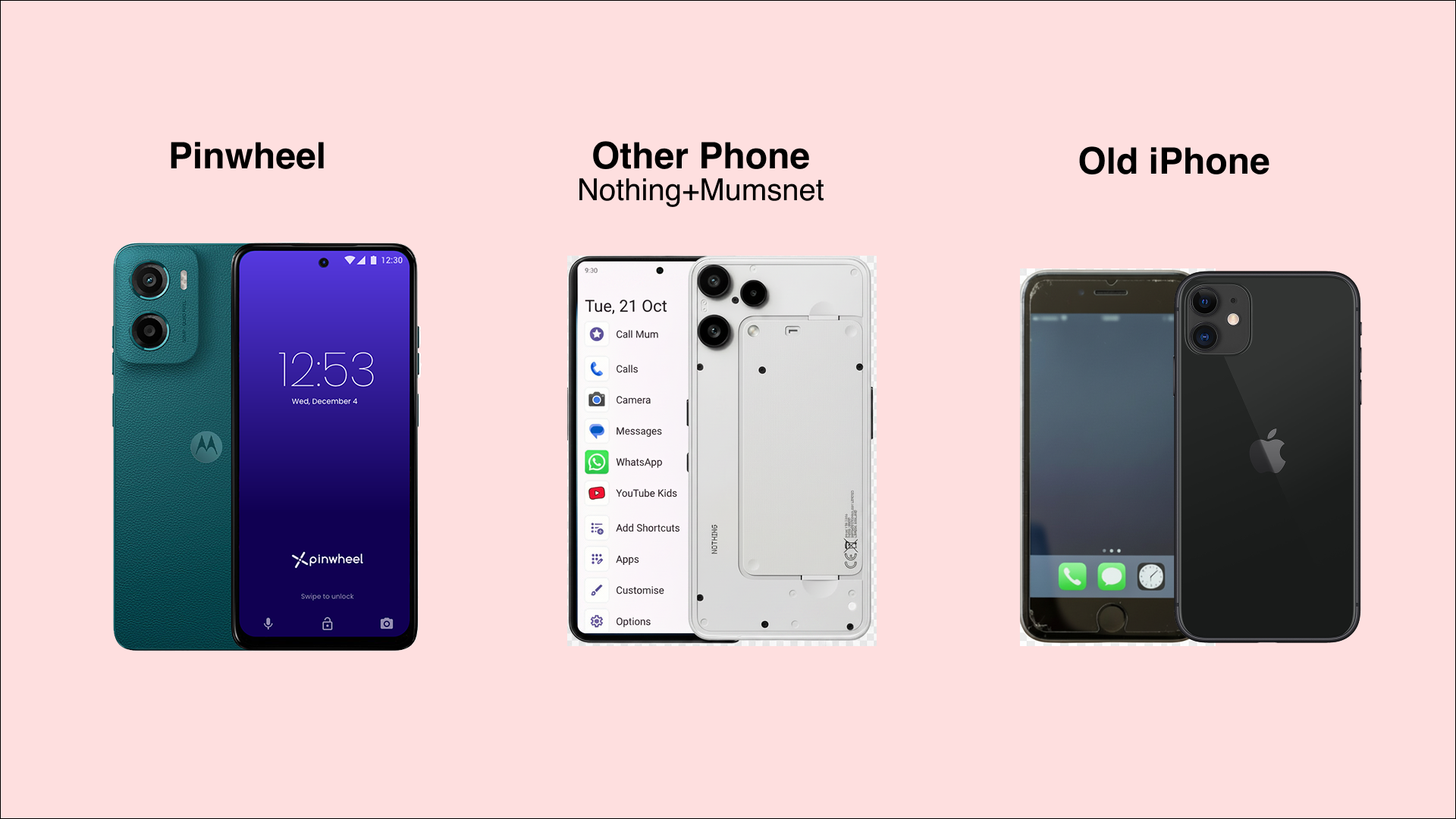
Does Pinwheel work in the UK? Yes. Pinwheel is a US company that launched in the UK in late 2024. The hardware is a standard Samsung Galaxy or a Google Pixel but the phone ships with Pinwheel OS installed, a modified Android system that replaces the standard home screen and app ecosystem with a locked-down, parent-controlled environment. Unlike Gabb or Bark Phone (which are US-only), Pinwheel ships to UK addresses and works with all major UK carriers.
The selling point is the curated app library. Over 1,200 apps are rated for safety by the Pinwheel team, covering categories from music streaming to homework tools. Parents approve each app individually from the Caregiver Portal, which runs on their own phone or a desktop browser. The child cannot install anything without approval. Social media apps are permanently excluded from the library. No web browser is installed by default, though parents can enable Google Play access later as the child matures.
Text messages and call history are visible to the parent through the portal without needing to take the phone from the child. Contact whitelisting ensures only approved numbers can call or text. GPS tracking includes geofencing, the parent sets location boundaries and receives an alert if the child crosses them. Screen time schedules allow per-app control: music available at bedtime, games blocked during school hours, everything paused overnight.
The controls sit at the operating system level. A child cannot uninstall Pinwheel OS without performing a factory reset, which wipes the device entirely and requires re-setup through the parent's account. This is not perfect tamper-proofing, a determined teenager with access to a computer could attempt a reset but it is substantially harder to bypass than a four-digit passcode.
The cost is the highest of the three options. Hardware runs from £239 for the Samsung Plus 5 to £549 for the Pixel 9A. The Caregiver Portal subscription adds £13.99 per month, or £149.99 annually. A SIM contract on top brings the total first-year cost to roughly £300–£730 depending on the model and network plan.
Pinwheel's UK-specific limitation is support infrastructure. The company is headquartered in Austin, Texas. Customer service operates from the US. UK parents on Mumsnet forums report that the product works well on British networks but that response times for support queries can feel slow due to the time difference.
The Other Phone (Mumsnet/SafetyMode): UK-Based Parental Control Phone
What is The Other Phone Mumsnet? The Other Phone launched in late 2025 through a collaboration between Mumsnet and SafetyMode, a child safety software company. For UK parents looking for a parental control phone with local support, this is a strong option. The hardware is a Nothing Phone (3a) Lite or CMF 2 Pro—a sleek, minimalist handset that looks indistinguishable from any adult smartphone. This matters. A child carrying The Other Phone does not look like a child carrying a children's phone. At £279, the hardware sits between Pinwheel's entry model and its premium option.
Where Pinwheel replaces the operating system, The Other Phone layers SafetyMode software on top of standard Android. SafetyMode's distinctive feature is real-time content filtering across all apps, including WhatsApp and other messaging platforms. If a child receives a message containing nudity, bullying language, or explicit content, SafetyMode intercepts it and alerts the parent. This filtering operates inside apps that most parental control systems cannot reach.
The parental dashboard provides app approval, screen time scheduling, GPS tracking, and notification pausing during school hours or bedtime. Parents can configure the home screen to display a stripped-back, list-style layout that removes the visual cues associated with endless scrolling. Social media is blocked by default, and a web browser is not included unless the parent enables it.
Setup uses a parental Google account rather than creating an email address for the child. This detail matters to parents who want to delay giving their child a personal email. UK parents in Mumsnet reviews report setup takes 15–20 minutes for the first device and about 10 minutes for subsequent ones, though manually enabling Android permissions for SafetyMode can be fiddly for less technical parents.
The hardware costs £279. On-device SafetyMode features, content filtering, app scheduling, screen time limits, are included at no additional charge. However, SafetyMode Plus, which allows the parent to manage settings remotely from their own phone or computer without touching the child's device, costs £5.99 per month. Most parents will want remote management, making this a practical ongoing cost. With a SIM plan on top, the total first-year expense sits at roughly £410–£530.
The trade-off is tamper resistance. SafetyMode is a software layer that requires specific Android permissions to function. It is harder to remove than a Screen Time passcode. A child would need to access Android developer settings and revoke permissions but it does not match Pinwheel's OS-level integration. A technically literate and determined teenager has a wider set of hackable options than with Pinwheel OS.
Mumsnet's editorial relationship with The Other Phone is worth noting. Mumsnet reviews of the product are marked as “Advertisement Feature,” and Mumsnet's broader “Rage Against the Screen” campaign aligns with the phone's positioning. The product may be strong on its merits, but parents evaluating it should be aware that Mumsnet functions simultaneously as the product's co-creator, its primary marketing channel, and its most visible review platform.
Want to delay smartphones entirely?
Kite Phone lets children call friends and family from a desk phone with zero screen time. No texts to monitor. No location to track. No apps to manage.
Get Your Kite PhoneIs an iPhone Safe for Kids? The DIY Locked-Down Approach
What is the best iPhone for kids? If you are set on Apple, the answer is an old hand-me-down iPhone from a drawer—not the latest model. You wipe it and build the walls yourself using Apple's built-in Screen Time and Content & Privacy Restrictions. The hardware cost is zero. There is no subscription. The only ongoing expense is a SIM plan and your time to monitor the restrictions.
The full setup process, from Family Sharing, child Apple ID, Screen Time configuration, app deletion, Siri restrictions, AirDrop blocking, and passcode hardening, is covered in the step-by-step iPhone lockdown guide. It takes about an hour and produces a device that calls and texts approved contacts, runs a handful of pre-installed apps, cannot browse the web or access social media, and shows its location on Find My.
The advantage is cost and immediacy. If you own an old iPhone, you can have a restricted device ready by tonight.
The limitations are well documented. The entire restriction system depends on a four-digit Screen Time passcode. There is no biometric protection for parental settings. Deleting Safari does not eliminate embedded web browsers inside approved apps. App Limits generate daily permission requests. The setup requires more ongoing management than either dedicated product. Every expired timer, every greyed-out icon produces a ping that demands a parent's attention.
For children aged eight to ten with limited unsupervised time, the restrictions hold. The child lacks the motivation and technical literacy to break them. For children entering secondary school, the setup becomes a daily negotiation. The controls exist but they are not tamper-resistant, and the constant permission cycle generates friction that dedicated products are specifically designed to eliminate.
How to Choose the Best Kids Smartphone UK
The three options sort themselves along two axes: how much you are willing to spend, and how much ongoing management you are willing to absorb.
If cost is the primary constraint and you already own an iPhone, the DIY approach is the rational starting point. Test it. If the daily management proves sustainable and the child respects the boundaries, the problem is solved for free.
If you want to reduce the daily management overhead and can absorb £240–£550 in hardware, the choice is between Pinwheel and The Other Phone. Pinwheel offers deeper OS-level integration and a more tamper-resistant system, but costs more monthly and relies on US-based support.
The Other Phone offers real-time content filtering inside messaging apps. A capability neither Pinwheel nor the DIY approach can match, at a moderately lower total cost, with UK-based support through the Mumsnet's ecosystem.
None of these options eliminates the fundamental tension. After every restriction, filter, and schedule is applied, the child is still carrying a smartphone.
The Dumb Phone & WiFi Landline Alternative
It fits in a pocket. It has a screen. It looks like the object every other child carries. Some families accept this tension and manage it. But many UK parents are now asking: why manage a smartphone when you can remove the smartphone entirely?
If you are looking for phones that keep kids off the internet, the alternatives are simpler and cheaper. A dumb phone for kids like the Nokia 105 (£20) or Nokia 2660 Flip (£30) provides calls and texts with zero internet, zero apps, zero screen time anxiety. A WiFi landline phone like Kite Phone (£14/month) lets children call friends and family from home with no portable screen at all—the ultimate limited phone for kids.
A 2017 study in the Journal of the Association for Consumer Research found that the cognitive cost of a smartphone's presence was highest for those most dependent on their devices. For those who depended least on the device, showed no measurable effect at all.
Brain Drain: The Mere Presence of One's Own Smartphone Reduces Available Cognitive Capacity
Delaying smartphone introduction doesn't just remove a device; it prevents the dependence that makes the device costly to have nearby.
The full range of non-smartphone alternatives, including pricing, emergency services access, and combination strategies, is mapped in the guide to every phone alternative for UK children compared.
The broader context, the parent-led movement, the government response, and the school-gate pacts that reduce the peer pressure making any of these decisions harder, is covered in the guide to the UK parents' movement to delay smartphones.
Frequently Asked Questions
Related Guides
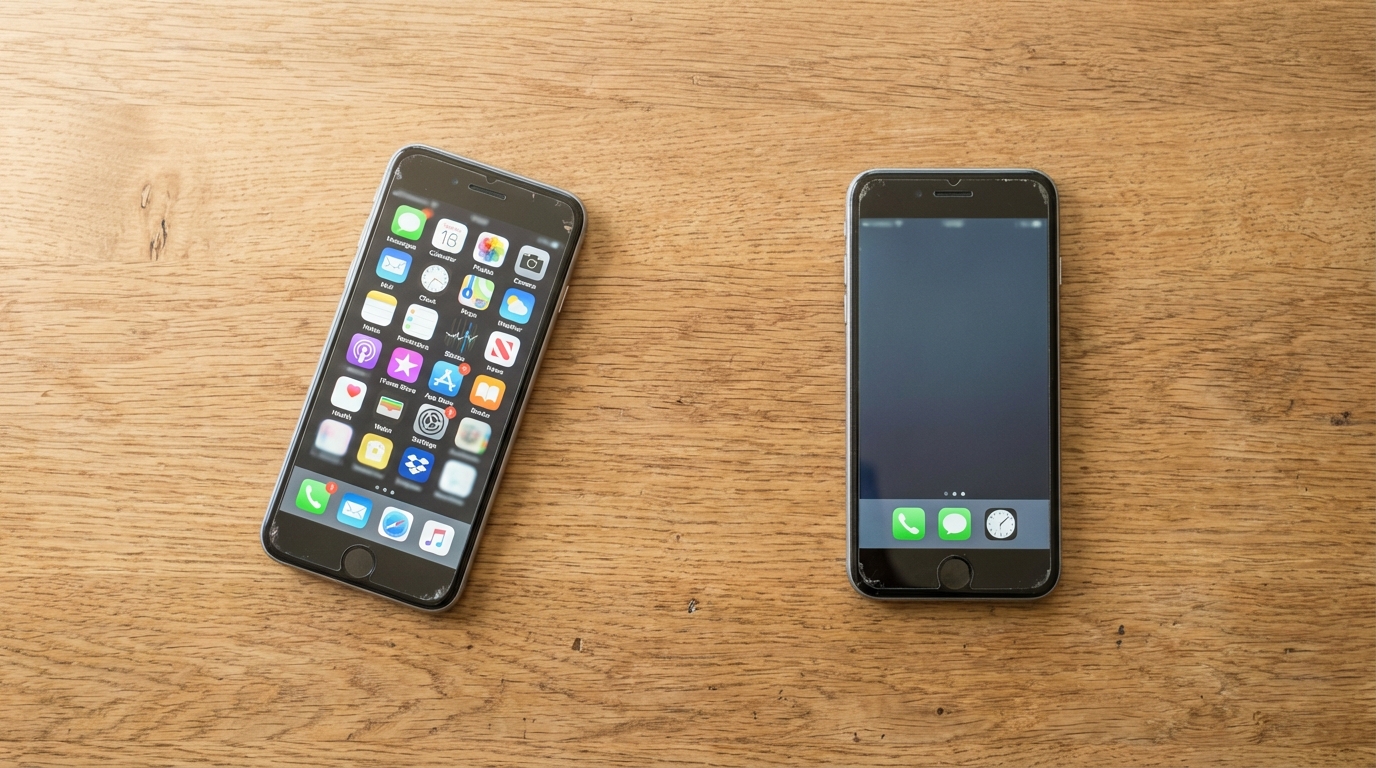
How to Lock Down a Hand-Me-Down iPhone for Your Child: A Step-by-Step Guide
6 Apr 2026 · 9 min read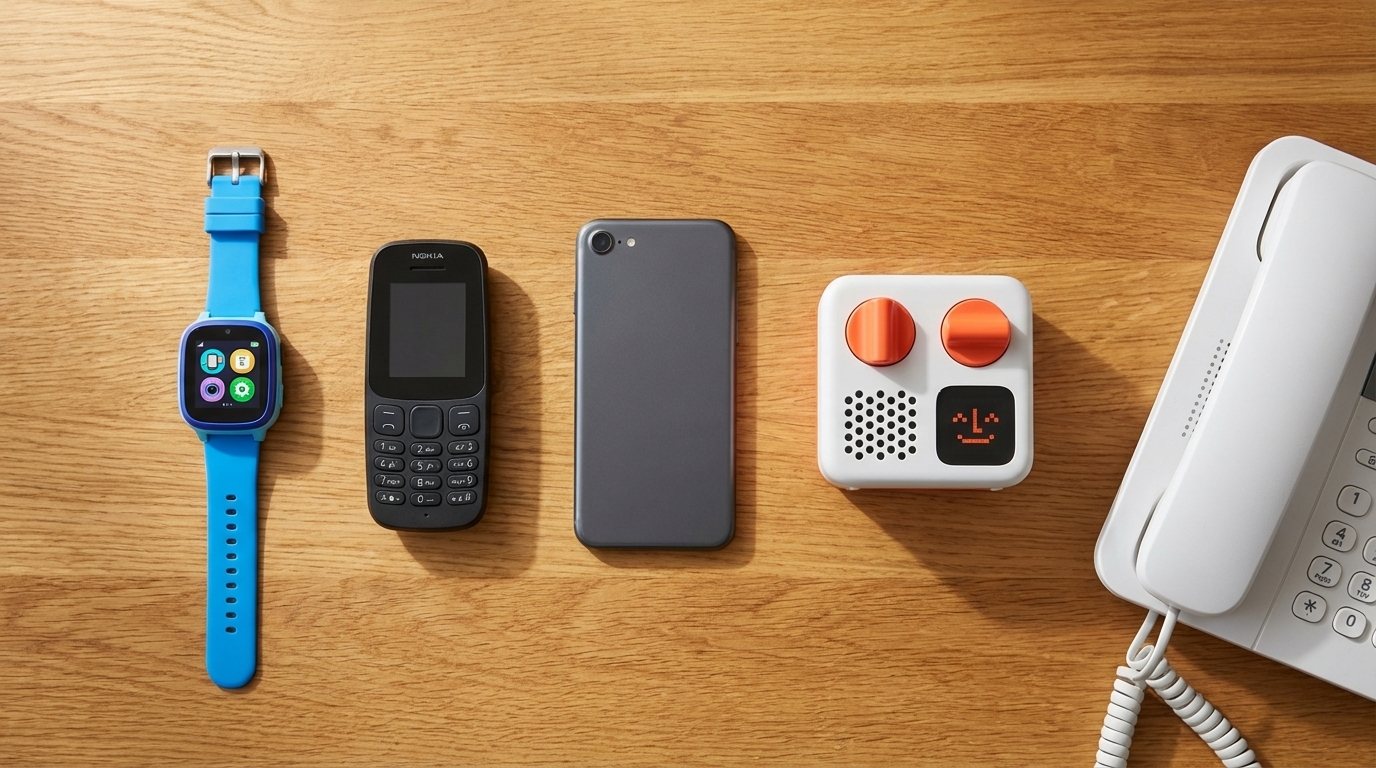
Best First Phone for Kids UK 2026: GPS Watches vs Dumb Phones vs WiFi Landlines Compared
19 Mar 2026 · 12 min read